Add users.
Enrol faces.
Open doors.
Run your Hikvision face terminal from your phone: people, attendance and door access in one app.
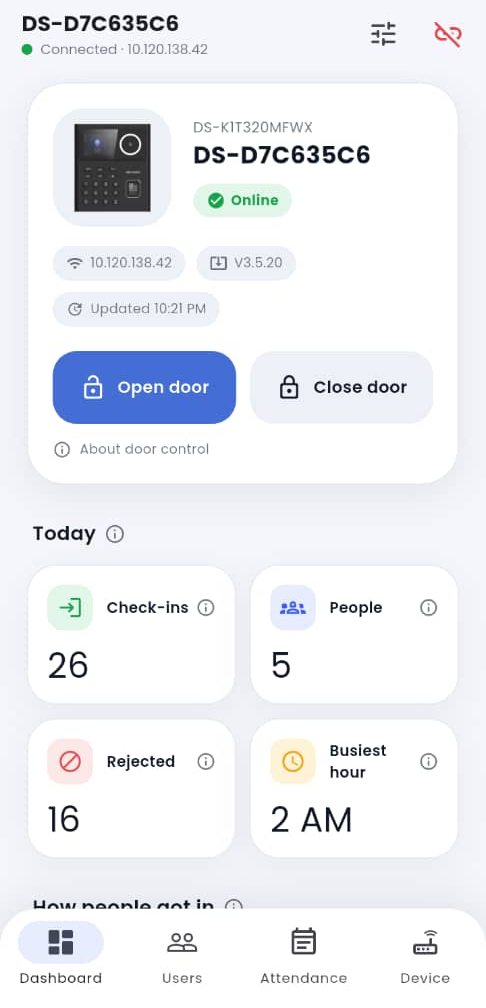
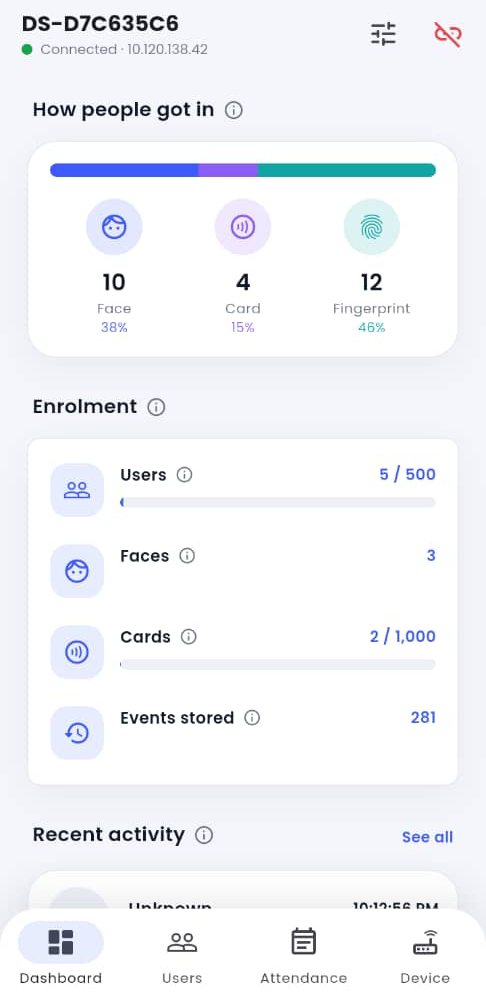
Everything your terminal does, in your pocket.
No cables needed. Your phone or PC talks straight to the device over your network.
People & faces
Add, edit and remove users, with face photos taken from your camera.
Door control
Open or close the door with a single tap.
Attendance
Face, card and fingerprint scans with daily summaries and in/out times.
Live dashboard
Check-ins, rejected attempts, busiest hour and device capacity at a glance.
Fingerprint enrolment
Start a capture from the app, then place the finger on the terminal.
Device health
Model, firmware, storage limits, CPU and memory, all in one place.
See it in action.
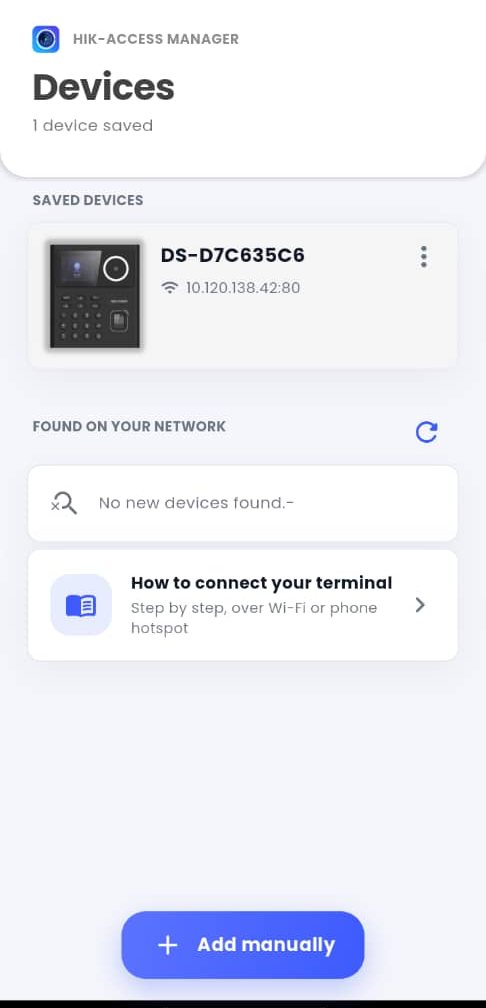
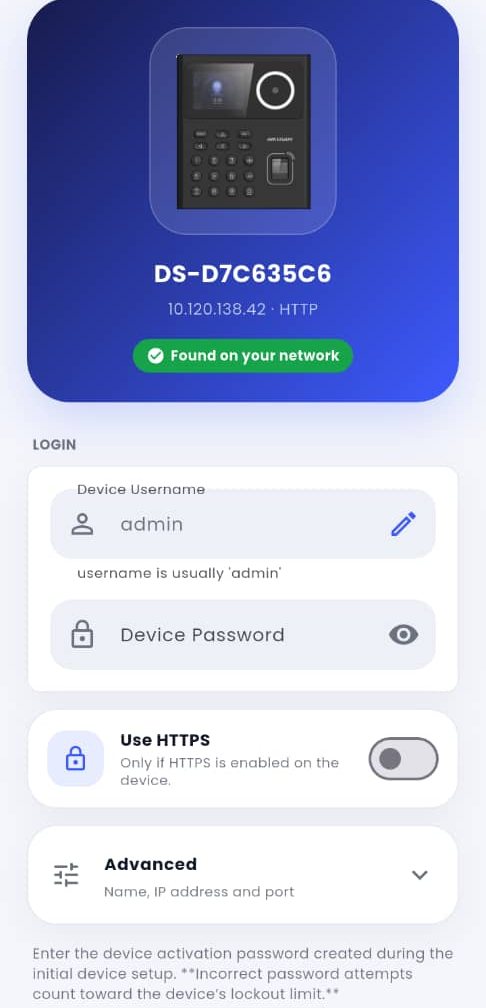
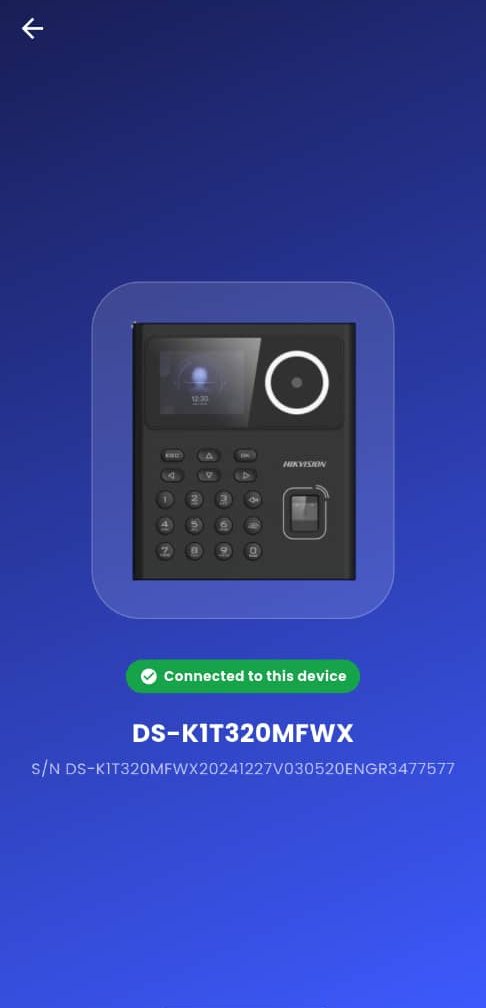
Clean, simple screens built for everyday use.
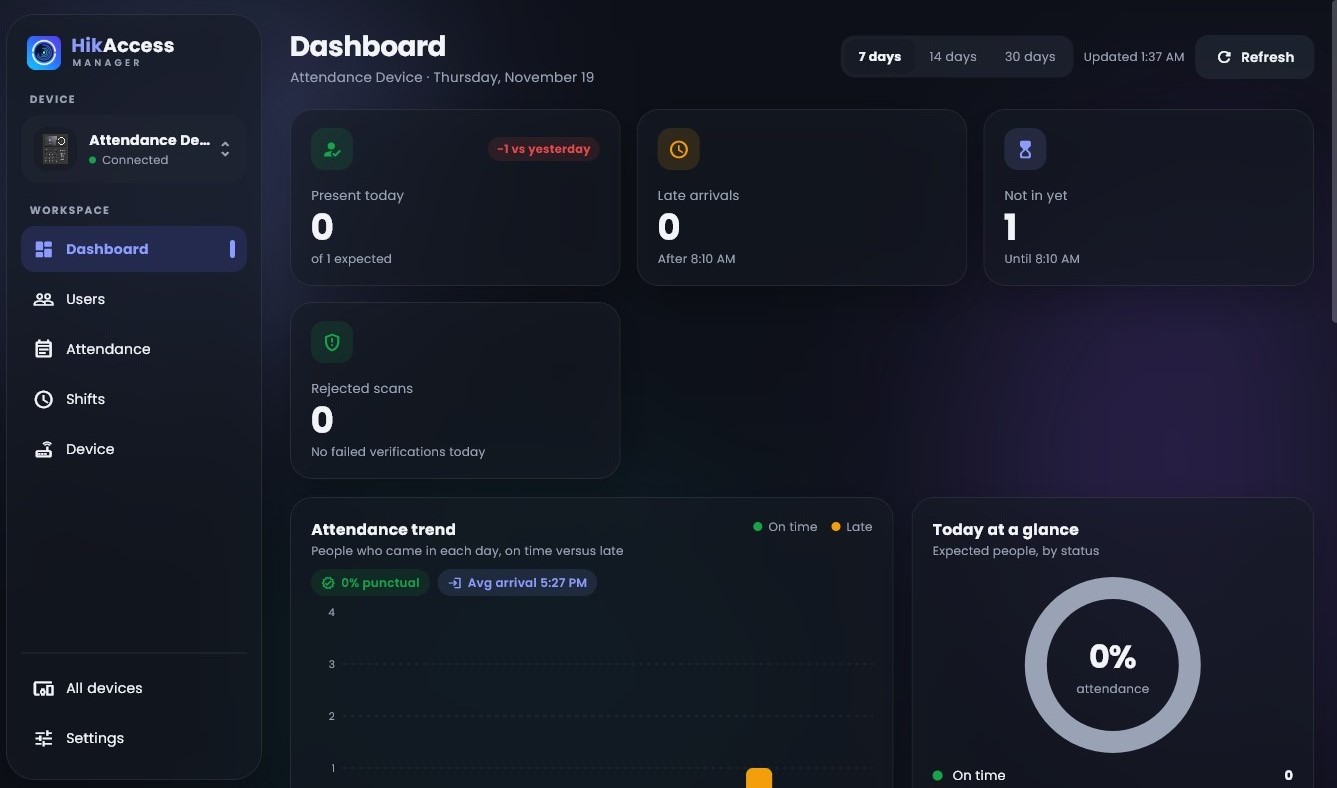
A bigger screen for the bigger picture.
The Windows app puts your analytics front and centre, so the front desk or HR can see who is on time, who is late and who is absent.
Up and running in three steps.
Connect
Enter your terminal's IP address, username and password. Test the connection before you save.
Manage
Add people, snap a face photo and set when each person's access starts and expires.
Monitor
See who came in and how, and open the door whenever you need to.
Get HikAccess Manager for Android and Windows.
HikAccess Manager v1.3
Android APK, direct download from Pharez Technologies.
⬇ Download for Android- ✓ Android 7.0 or newer
- ✓ Phone on the same Wi-Fi as the terminal
- ✓ Password kept in your phone's secure storage
HikAccess Manager v1.0.0
Windows installer, direct download from Pharez Technologies.
⬇ Download for Windows- ✓ Windows PC on the same network as the terminal
- ✓ Dashboard, analytics and multi-device switching
- ✓ One-file installer, no extra setup
How to install
- Tap Download for Android and open the file when it finishes.
- If asked, allow Install unknown apps for your browser.
- Tap Install, then open the app and add your device.
- Click Download for Windows and run the installer when it finishes.
- If Windows SmartScreen warns you, click More info, then Run anyway.
- Follow the setup, then open the app and add your device.
Good to know.
Why is it not on Google Play?
For now it is shared directly as an APK so businesses can install it straight away. Your phone will ask you to allow the install once.
Does it work away from the office?
The app connects to the terminal over your local network, so your phone needs to be on the same Wi-Fi (or the terminal's hotspot) unless your network is set up for remote access.
Which terminals are supported?
Hikvision face terminals that support ISAPI, such as the DS-K1T320MFWX. Some details, like capacity limits, vary by model.
Is my password safe?
It stays on your phone in secure storage. The app also stops after one rejected login, to avoid locking the device.
I need help or a custom feature.
Call +233 240 222 016 or email phareztechnologies@gmail.com.